
Platform Update – March 2026
We spent significant time fixing bugs and improving the platform to make your WordPress hosting experience smoother. Check out some of the recent changes.
STRIPE TAX COLLECTION
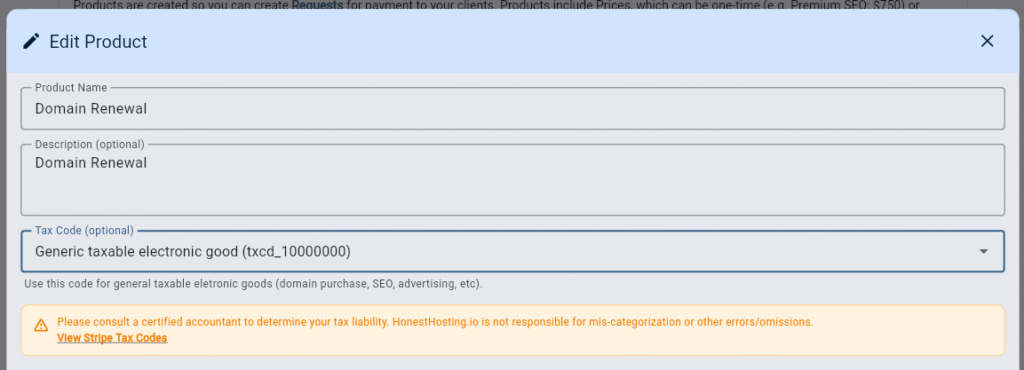
To better comply with tax collection, you can update your Stripe Products to include a specific tax code, which (if you are registered for tax reporting where the user is located), will be automatically collected by Stripe. We have two generic tax-codes per the Stripe Tax Guide, however, you can override these generic codes and specify your own more-specific tax code that fits your jurisdiction & business.
NOTE: HonestHosting is NOT a tax entity, and this is NOT tax advice. Seek counsel from a certified tax professional before changing these options so YOU understand the tax implications.
SIDEKICK BUGFIX
We recently fixed a bug in sidekick where we failed to provide contextual cache headers to downstream clients when responses contained HIT, MISS, or BYPASS. The fix makes any downstream client (CDN, Browser, etc) behave consistently, based on the existing TTL of the requested asset.
SITE ALIAS LIMITS & DOMAIN OVERRIDE
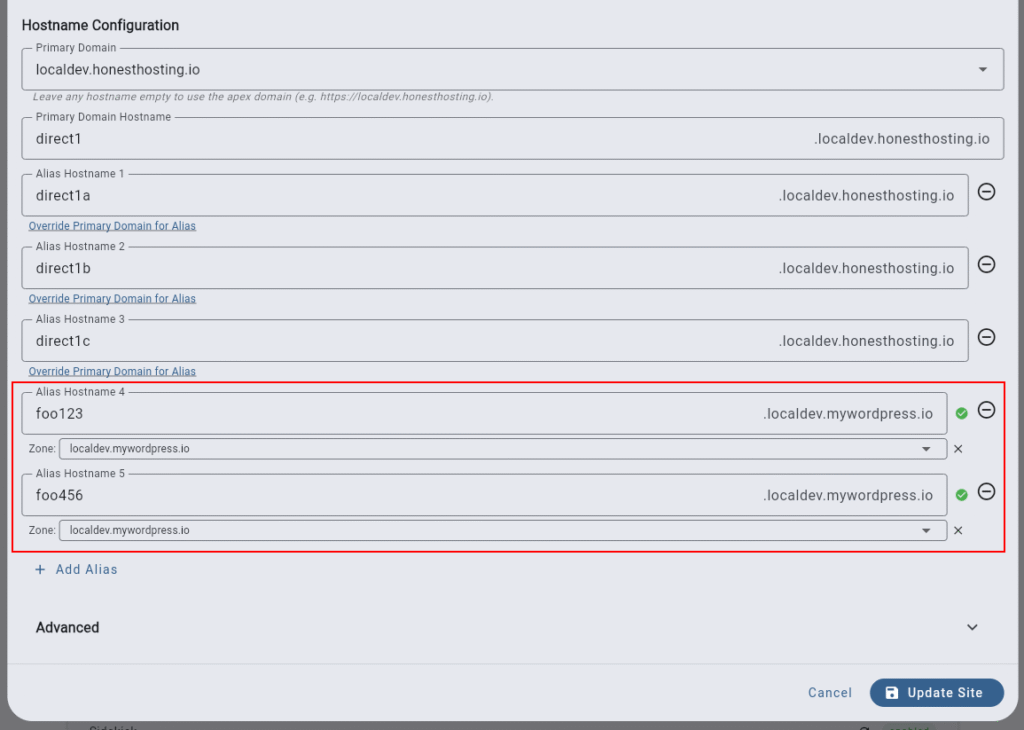
Initially, we allowed you to choose one domain for a site (example.org), and set up 3 additional aliases for it. However, you can now add up to 10 aliases, and the aliases can span different domains. Internally, we set up automatic redirects to your site’s Primary Domain if a user accesses the site using an alias (which keeps SEO and backlinks consistent). Read more here.
WORDPRESS CORE UPDATE POLICY
By default, the HonestHosting platform automatically updates minor and dev versions of WordPress core automatically. However, you can now choose to disable any of the options (auto update major, minor, or dev versions) on a per-site basis when editing a Site under Advanced.

WORDPRESS THEME & PLUGIN UPDATE POLICY
Similar to the previous WP core update policy, the HonestHosting platform automatically updates all found themes and plugins on the site by default. However, if you want more control, you can now disable either option when editing a Site under Advanced.

SECURITY: DISALLOW_FILE_EDIT
As an additional layer of security, you can disable the built-in WordPress file editor by toggling this option in the Site Edit dialog’s Advanced section.

NEXT STEPS
We continue to work hard to bring you the best value for all of your WordPress hosting needs. If you have any questions, concerns, or would generally like to chat, feel free to contact us anytime. We want to make sure you get the most out of HonestHosting.io!
- App Login: https://app.honesthosting.io/login
- Step-by-step Documentation: https://docs.honesthosting.io
- Live Chat & Discord Community: https://discord.gg/H5mWqsktj6
- Personalized Help: https://cal.com/kmott/hh-intro